The customer wallet is a prepaid balance linked to an individual customer account. Customers load budget in advance and then pay contactless, without cash or a card. Ideal for sports clubs, beach bars and events.
Setting up#
Add Customer wallet (Klantenwallet) as a payment option under BOX configuration, Payment methods.
In the POS configuration, set the top-up shortcuts: fixed amounts (for example 5, 10, 20 and 50 euros) that appear as buttons on the POS.
At the POS#
Upgrade: select the customer, tap Top up wallet, choose a shortcut or enter an amount, and complete the payment with cash or card.
Pay: ring up the order and choose Wallet as the payment method on the payment screen. If the balance is too low, the POS warns you.
On the webshop#
Customers can also pay with their wallet on the webshop. At checkout, Wallet is at the top of the payment methods, followed by the balance, for example Wallet (balance: €100.00).
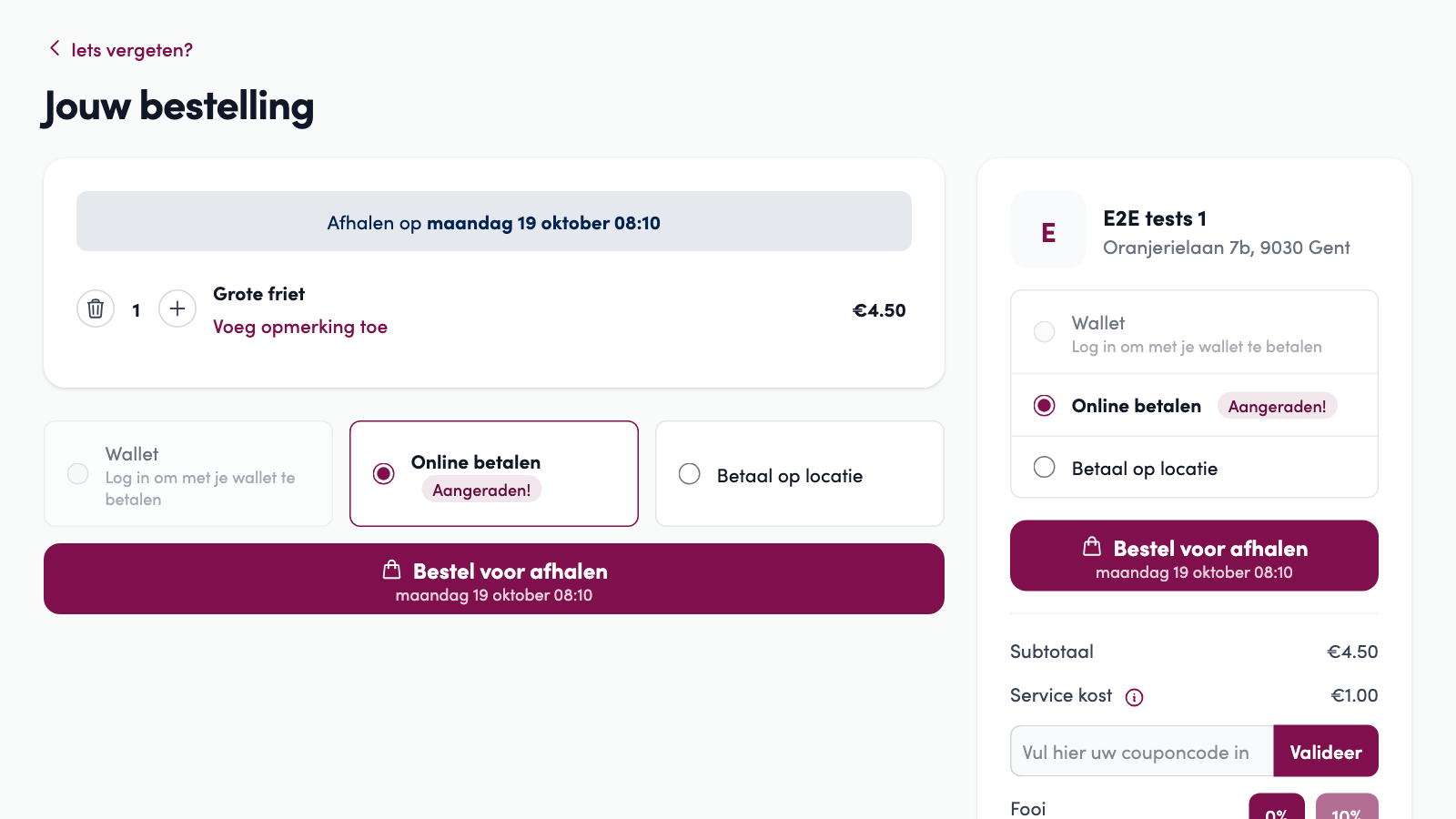
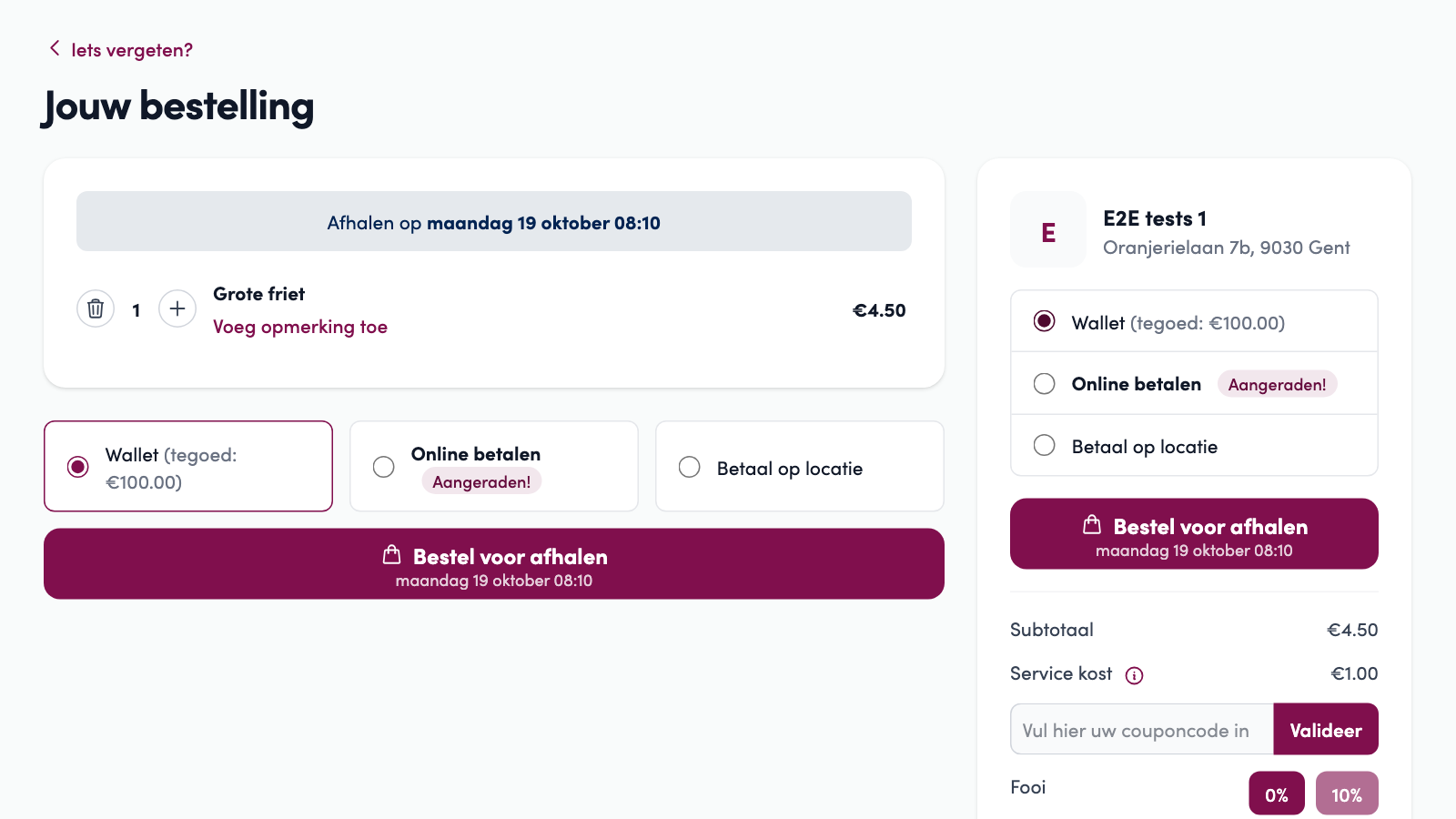
The customer has to be logged in. A guest sees Wallet greyed out, with Log in to pay with your wallet. This way a wallet only pays for orders placed from the customer's own account.
Not enough balance? The balance is used first and the customer pays the rest online. Under Wallet they see how much goes through the wallet and how much is left to pay online, for example €10.00 via the wallet, €4.50 to pay online.
No balance, or too little while your webshop has no online payment: Wallet is then greyed out with Insufficient balance for this order.